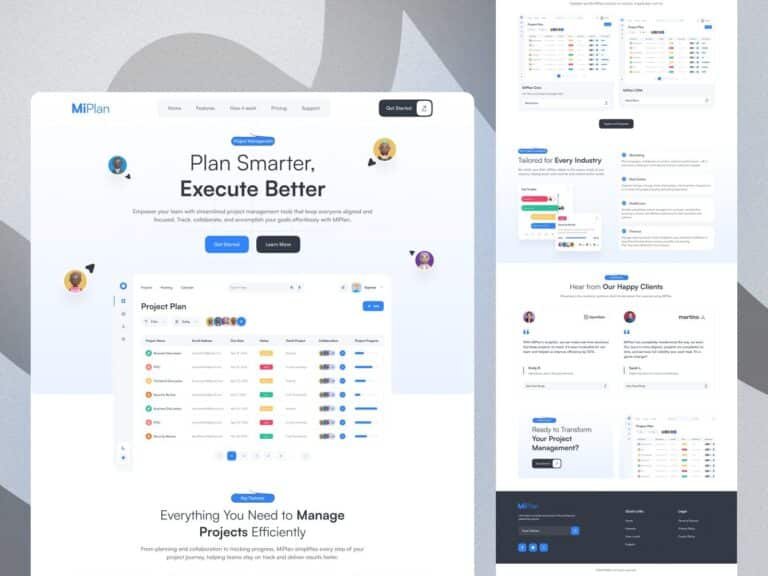
Understanding the Importance of Clean Dashboard UX
In the world of SaaS, a clean and intuitive dashboard is critical for user satisfaction and productivity. A well-designed user interface not only enhances user experience but also boosts the efficiency of your software. For a SaaS Admin Designer, mastering the art of dashboard design is essential to ensure that users can navigate and utilize the software without unnecessary friction.
Key Principles of Effective Dashboard Design
Designing a dashboard that is both functional and aesthetically pleasing requires adherence to several key principles. These principles guide the SaaS Admin Designer in creating a user-centric interface:
Simplicity and Clarity
Keeping the design simple and clear is paramount. Users should be able to understand the dashboard’s functionality at a glance. Avoid clutter and focus on presenting essential information in a straightforward manner.
Consistency
Consistency in design elements such as fonts, colors, and layout helps users become familiar with the interface quickly. This familiarity reduces the learning curve and enhances user confidence.
Responsiveness
A responsive design ensures that the dashboard is accessible across various devices and screen sizes. This flexibility is crucial for users who need to access the dashboard on-the-go.
Accessibility
Design for accessibility by considering users with different needs. This includes providing alternative text for images, ensuring sufficient contrast, and enabling keyboard navigation.
Best Practices for Designing a Clean Dashboard
To create an effective dashboard, SaaS Admin Designers should follow these best practices:
Prioritize Important Information
Identify the most critical data that users need and ensure it is prominently displayed. Use visual hierarchy to guide users’ attention to these key elements.
Use Visual Elements Wisely
Incorporate charts, graphs, and icons to convey information quickly and efficiently. However, avoid overloading the dashboard with too many visual elements, which can lead to confusion.
Provide Customization Options
Allow users to customize their dashboard layout and content according to their preferences. This personalization enhances user experience and satisfaction.
Ensure Fast Loading Times
Optimize the dashboard to load quickly, as delays can frustrate users and hinder productivity. Efficient coding and minimal use of heavy graphics contribute to faster loading times.
Common Mistakes to Avoid in Dashboard Design
Even experienced designers can fall into common pitfalls when designing dashboards. Here are some mistakes to avoid:
Overcomplicating the Design
While it’s tempting to include numerous features, an overly complex design can overwhelm users. Focus on core functionalities and avoid unnecessary bells and whistles.
Ignoring User Feedback
User feedback is invaluable for improving dashboard design. Regularly solicit feedback and be willing to make adjustments based on user input.
Neglecting Mobile Users
Failing to optimize the dashboard for mobile devices can alienate a significant portion of the user base. Ensure that the mobile experience is as seamless as the desktop version.
FAQs About SaaS Dashboard Design
What is the role of a SaaS Admin Designer?
A SaaS Admin Designer is responsible for creating and maintaining the user interface of SaaS applications. They focus on ensuring that the dashboard is intuitive, efficient, and visually appealing.
How can I improve the UX of my SaaS dashboard?
Improving UX involves simplifying the design, ensuring consistency, optimizing for mobile, and incorporating user feedback. Regularly testing and iterating on the design are also crucial steps.
Why is dashboard responsiveness important?
Responsiveness ensures that the dashboard is accessible and functional across different devices and screen sizes, providing a seamless experience for all users.
What should I prioritize in my dashboard design?
Prioritize clarity, ease of use, and the ability to quickly convey important information. The design should facilitate user tasks and enhance overall productivity.
Conclusion
Designing a clean and efficient dashboard is a critical task for any SaaS Admin Designer. By adhering to best practices and avoiding common pitfalls, designers can create a user interface that enhances the overall experience and meets the needs of its users. Remember, a successful dashboard is one that balances functionality with simplicity, providing users with the tools they need to succeed.