
Building a successful Habit Tracking App is about much more than creating a checklist of daily tasks. Today’s users expect intuitive navigation, motivating experiences, and rewarding interactions that encourage them to stay consistent. At Devoq.io, we designed a Habit Tracker App Design that combines clean visuals, gamification, and seamless user flows to help users build lasting habits while keeping them engaged every day.
At Devoq.io, we set out to create a Habit Tracker App Design that combines modern aesthetics with user-centered functionality. Our goal was to design an experience that simplifies habit formation while increasing user engagement through gamification, progress tracking, and seamless interactions.
In this Habit Tracker UI UX Design case study, we’ll walk you through our design process, from research and user journey mapping to creating a scalable design system. You’ll also discover how our Mobile App UX Design decisions helped improve usability, motivation, and long-term retention for users.
This case study walks through our design process, highlights the UX decisions behind the interface, and explains how thoughtful Mobile App UX Design can transform a simple habit tracker into an engaging digital experience.
Understanding the Problem
Many habit tracking applications lose users after the first few days because they fail to keep users motivated. Traditional habit apps often rely on repetitive checklists without providing meaningful rewards or a sense of accomplishment.
Our goal was to create a Habit Tracker UI UX Design that motivates users through challenges, rewards, progress tracking, and a visually engaging interface.
Project Overview: HabitBet – A Modern Habit Tracking App
HabitBet is a concept designed to motivate users through accountability, challenges, and rewards. Instead of relying solely on reminders, the app introduces a gamified experience where users participate in challenges, track daily progress, earn rewards, and compete with others.
Our primary objective was to create a Habit Tracker UI UX Design that feels simple for first-time users while providing advanced features like wallets, leaderboards, streak tracking, and challenge management without overwhelming the interface.
1.Intuitive Onboarding and Dashboard Experience for Better User Engagement
The onboarding experience is the first interaction users have with an app, making it a crucial part of the overall Mobile App UX Design. Instead of overwhelming users with forms, we introduced a welcoming illustration, concise messaging, and two clear actions:
- Suggest a habit automatically
- Explore the app manually
This simplified onboarding helps users begin their journey within seconds while reducing friction.
The first impression of any Habit Tracking App determines whether users continue exploring or abandon the application. Our onboarding flow was designed to minimize friction by introducing the app’s value proposition through clean visuals and simple navigation.
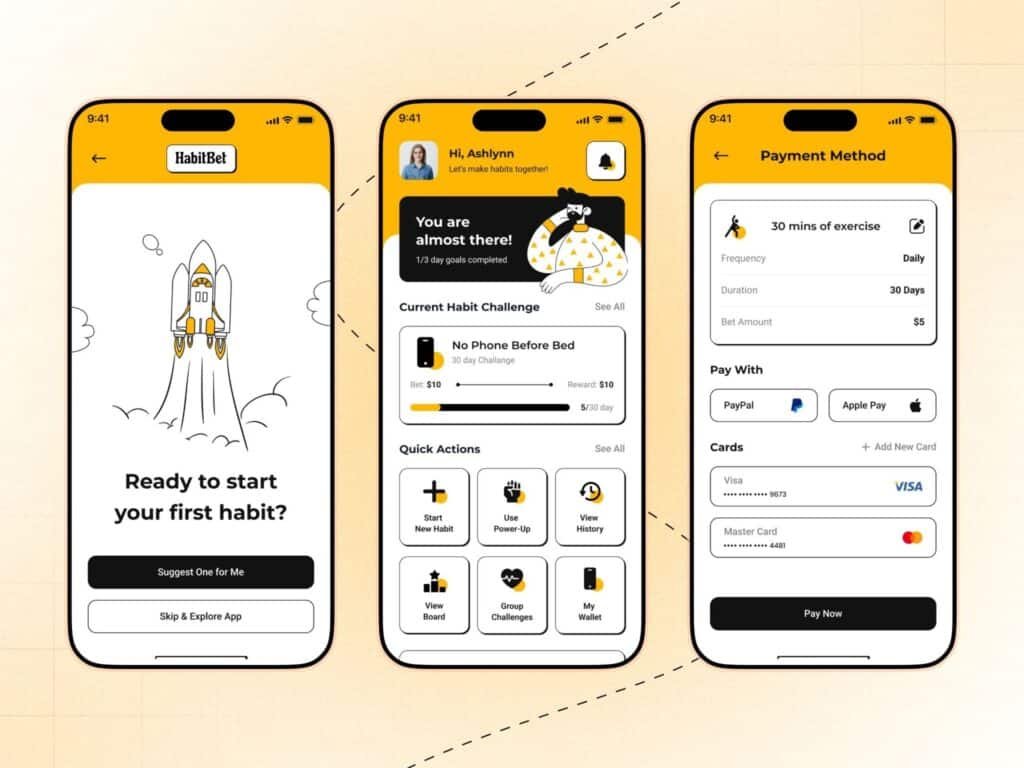
Habit Tracker UI UX Design onboarding screen for mobile application
2.Designing Reward-Based Motivation Through Wallet and Challenges
The dashboard acts as the central hub where users can monitor progress, track challenges, and quickly access important features.
A successful Habit Tracker App Design should encourage users to stay consistent by rewarding positive behavior. We introduced an integrated wallet where users can manage rewards, deposits, and challenge earnings.
Our dashboard includes:
- Current habit progress
- Daily completion status
- Personalized greeting
- Quick action shortcuts
- Active challenges
- Wallet access
- Group challenges
This layout ensures users always know what to do next, improving engagement and reducing decision fatigue.
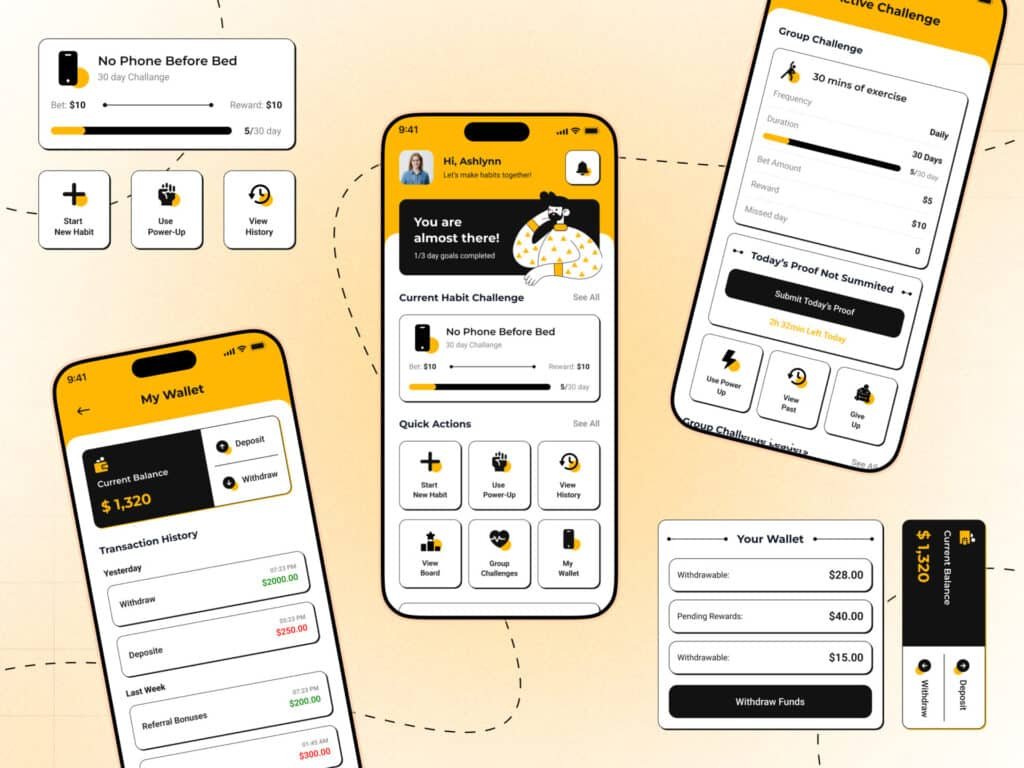
Habit Tracker App dashboard UI showing progress tracking and quick actions
3.Delivering a Modern Mobile App UX Design
One of the most effective strategies in modern Habit Tracker App Design is gamification.
Instead of simply marking habits as completed, users participate in challenges where they can earn rewards based on consistency.
Our gamification features include:
- Daily streak tracking
- Progress indicators
- Habit challenges
- Reward system
- Bet-based accountability
- Group competitions
- Leaderboards
- Achievement milestones
Every screen in this Habit Tracker UI UX Design was created with usability and consistency in mind. From the dashboard and leaderboard to wallet management and challenge participation, each interface follows a unified visual language that helps users complete tasks quickly.
These elements transform habit building into an enjoyable experience rather than a routine task.
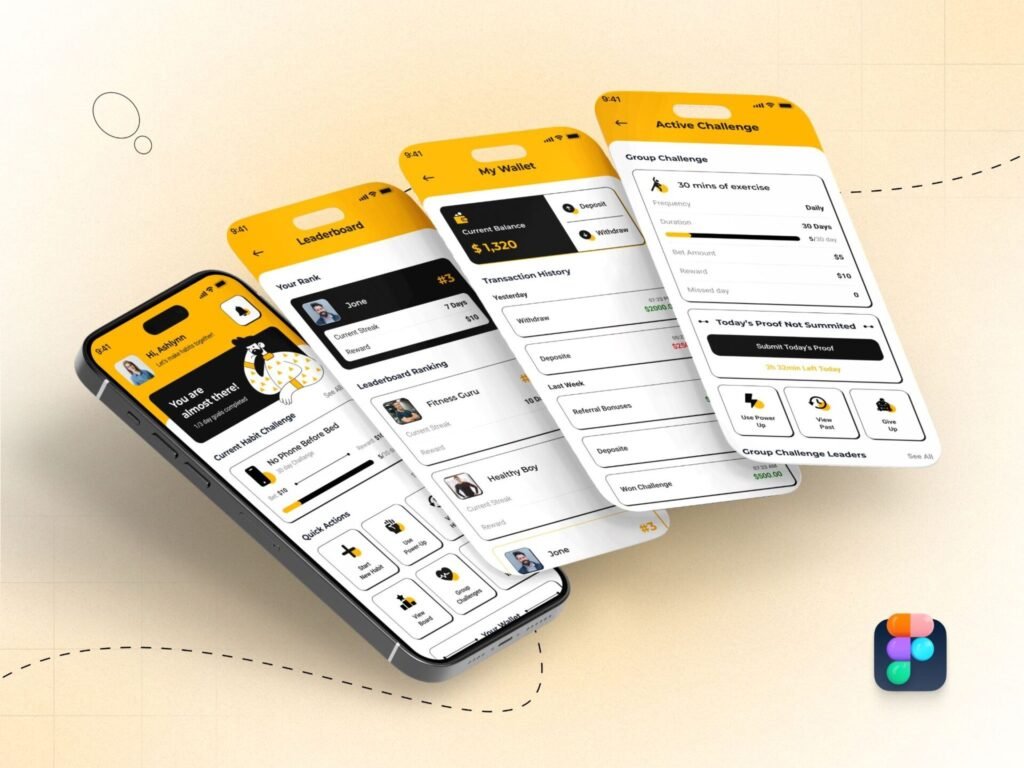
Gamified Habit Tracking App interface with rewards and progress tracking
4.Building a Consistent Design System for a Habit Tracker App
A strong design system ensures consistency across every screen of the application. We established reusable components, typography, spacing rules, and an accessible color palette to streamline collaboration between designers and developers.
We established a design system using:
Color Palette
- Amber Yellow (#FFB703)
- Black (#121212)
- White (#FFFFFF)
- Medium Gray (#828282)
The vibrant yellow communicates positivity and motivation while maintaining strong contrast for accessibility.
Typography
We selected Montserrat for its clean, modern appearance and excellent readability across all mobile screen sizes.
Components
Reusable components included:
- Cards
- Buttons
- Progress bars
- Navigation elements
- Wallet cards
- Challenge modules
- Iconography
This foundation allows the Habit Tracker App Design to scale efficiently while maintaining a cohesive Mobile App UX Design.
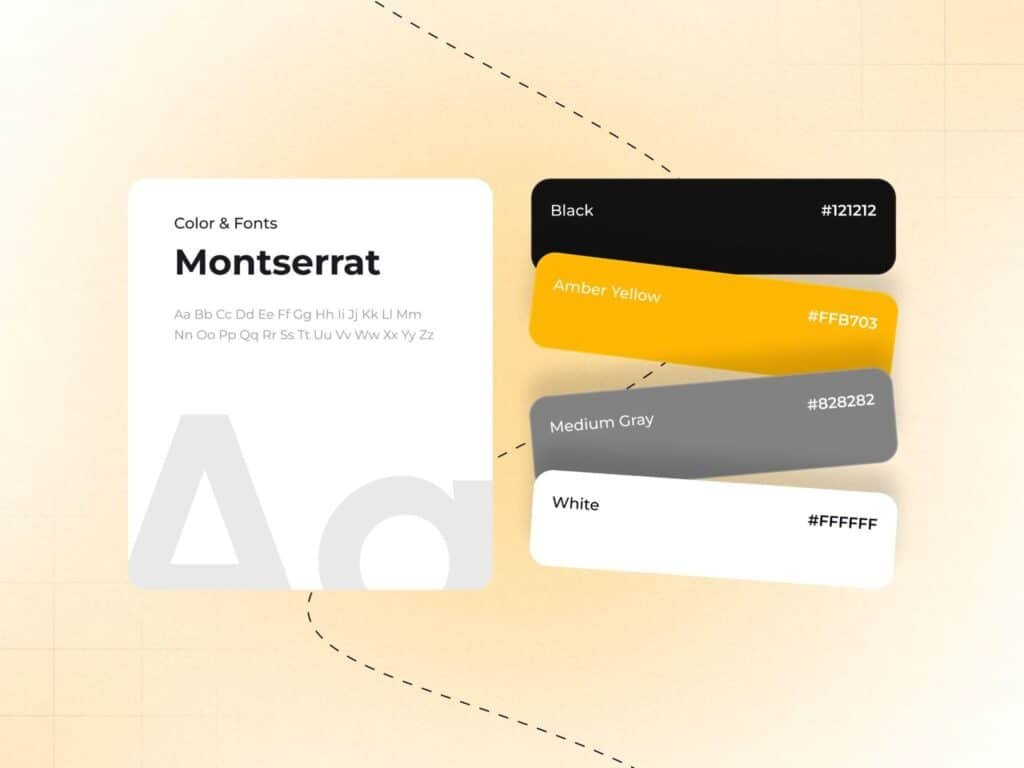
Habit Tracker App Design system with typography, color palette and reusable UI components
Designing Active Challenge Screens
The challenge screen keeps users focused on completing their daily goals.
Key information displayed includes:
- Challenge duration
- Daily frequency
- Remaining days
- Missed days
- Reward amount
- Proof submission
- Power-up options
- Challenge history
This organized structure allows users to quickly understand their progress without unnecessary distractions.
Why This Mobile App UX Design Works
Our Mobile App UX Design focuses on encouraging daily engagement through thoughtful interaction patterns rather than relying solely on notifications.
The experience succeeds because it emphasizes:
- Clear navigation
- Visual progress tracking
- Positive reinforcement
- Gamification
- Financial accountability
- Personalized dashboards
- Simple payment flow
- Consistent visual language
Together, these elements create a habit-building experience that users genuinely enjoy returning to every day.
Conclusion
Designing an engaging Habit Tracking App requires more than attractive screens. Success comes from understanding user behavior and creating experiences that motivate consistent action.
By combining a modern Habit Tracker App Design, intuitive Habit Tracker UI UX Design, and user-focused Mobile App UX Design, we created an application that encourages long-term engagement through challenges, rewards, and meaningful progress visualization.
Whether you’re building a wellness platform, productivity application, or fitness product, these UX principles can help improve retention, increase daily activity, and deliver a memorable user experience.


