
Business verification has become an important part of modern digital business operations. Companies need reliable ways to verify suppliers, partners, vendors, and other organizations while keeping onboarding fast and simple.
The challenge is that verification often involves complex information such as business identity, ownership, documents, compliance checks, and risk assessment.
This article explores how a modern business verification platform can combine KYB verification, supplier verification, digital credentials, SaaS UI UX design, website UI UX design, and business website design into one streamlined experience.
What Is Business Verification?
Business verification is the process of confirming that a company is legitimate, accurately represented, and suitable to work with.
A typical verification process may involve checking:
- Business registration details
- EIN or tax identification information
- Company ownership
- Ultimate Beneficial Owners (UBOs)
- Business licenses and certifications
- Business documents
- Digital presence
Modern business verification services can automate many of these checks, helping companies reduce manual work while improving the accuracy and speed of their onboarding processes.
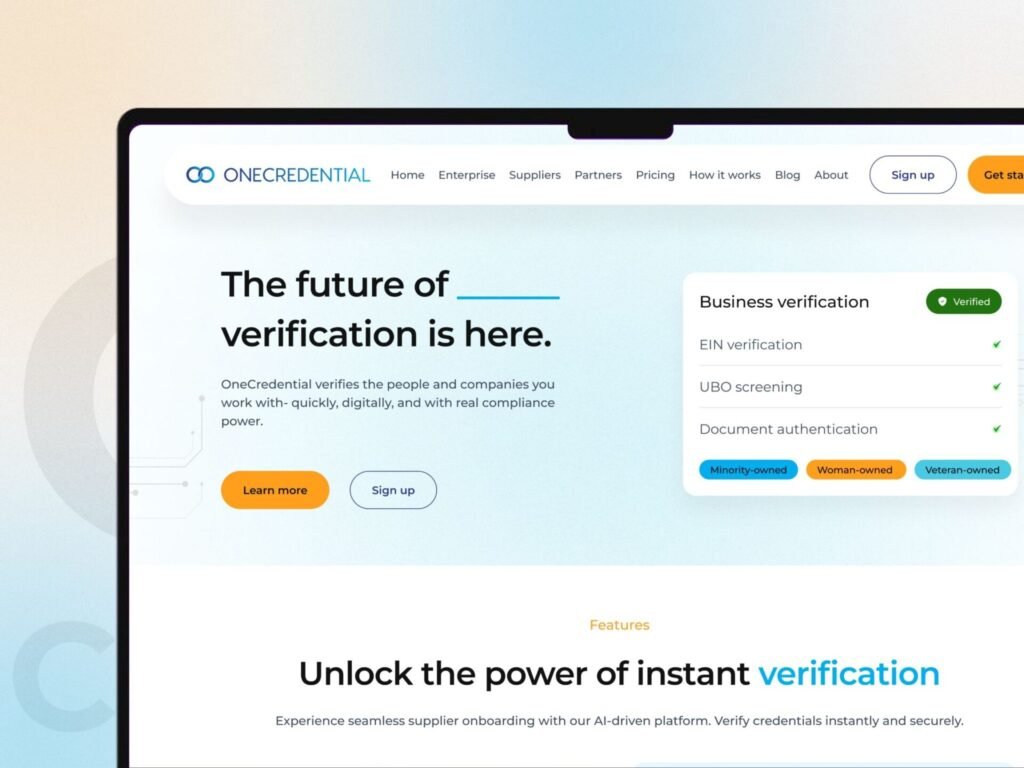
1. Main Landing Page Hero: Introducing Business Verification
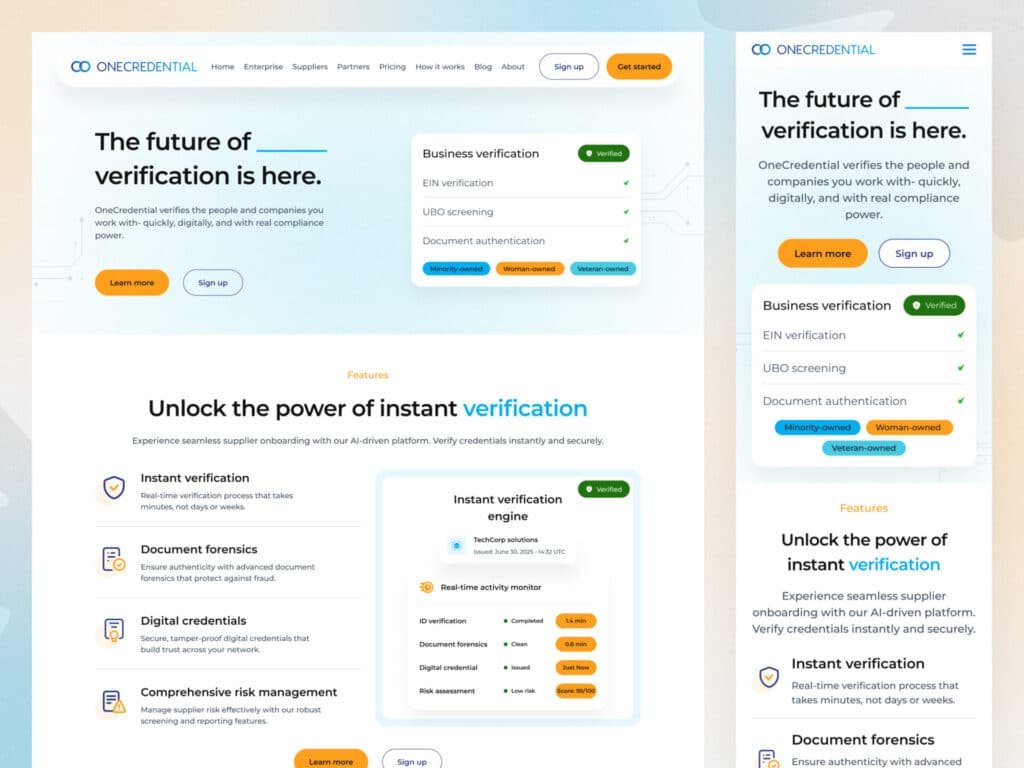
The hero section is the first thing users see when they visit a business verification platform. It needs to communicate the product’s purpose immediately.
This messaging immediately establishes the platform’s focus while the supporting text explains that businesses and people can be verified quickly and digitally.
The hero section also includes two clear calls to action, such as Learn More and Sign Up, allowing visitors to either explore the platform or start using it.
On the right side, the business verification card reinforces the core value proposition by showing verification activities such as:
- EIN verification
- UBO screening
- Document authentication
- Verification status
- Business ownership classifications
This is an effective example of SaaS UI UX design because the interface communicates the product’s functionality visually instead of relying only on lengthy marketing copy.
Business Verification SaaS Landing Page Hero UI/UX Design
2. Instant Verification: Making Complex Processes Simple
The interface highlights capabilities including:
- Instant verification
- Document forensics
- Digital credentials
- Comprehensive risk management
A verification engine displayed alongside the feature list gives users a visual representation of how the platform processes business information.
For a business verification service, users want to understand what happens after they submit their information. Showing verification statuses, timestamps, risk scores, and completed checks makes the process much easier to understand.
Instant Business Verification Dashboard and SaaS UI UX Design
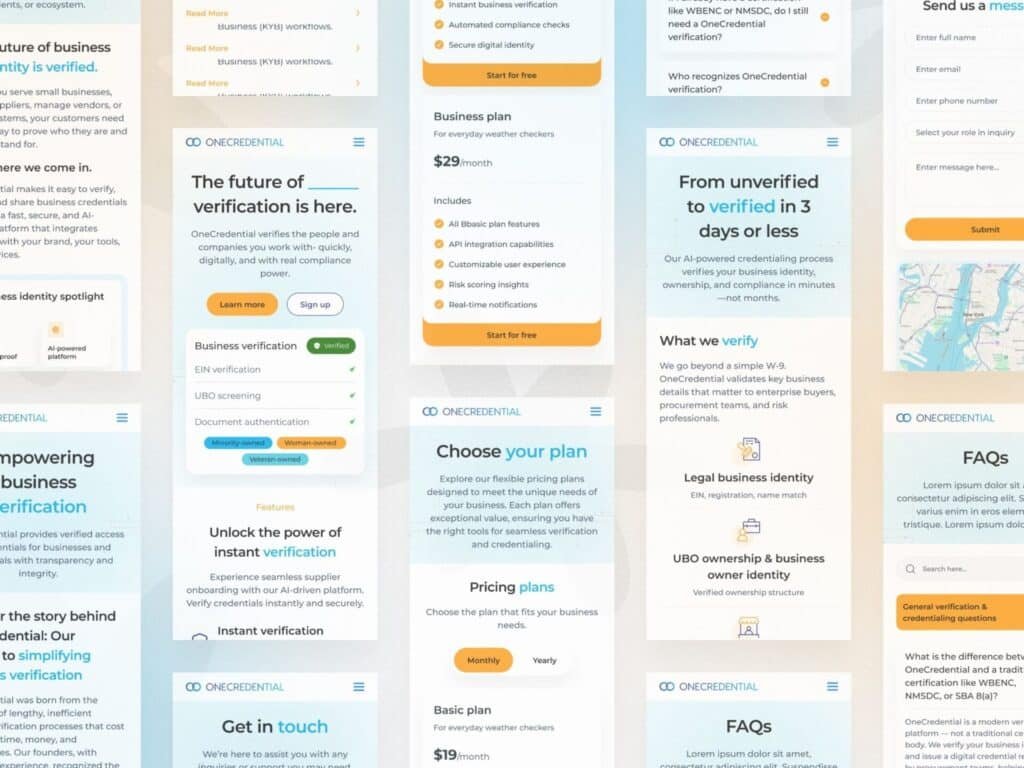
3. Responsive Design: Bringing Business Verification to Mobile
A modern business platform cannot focus only on desktop users.
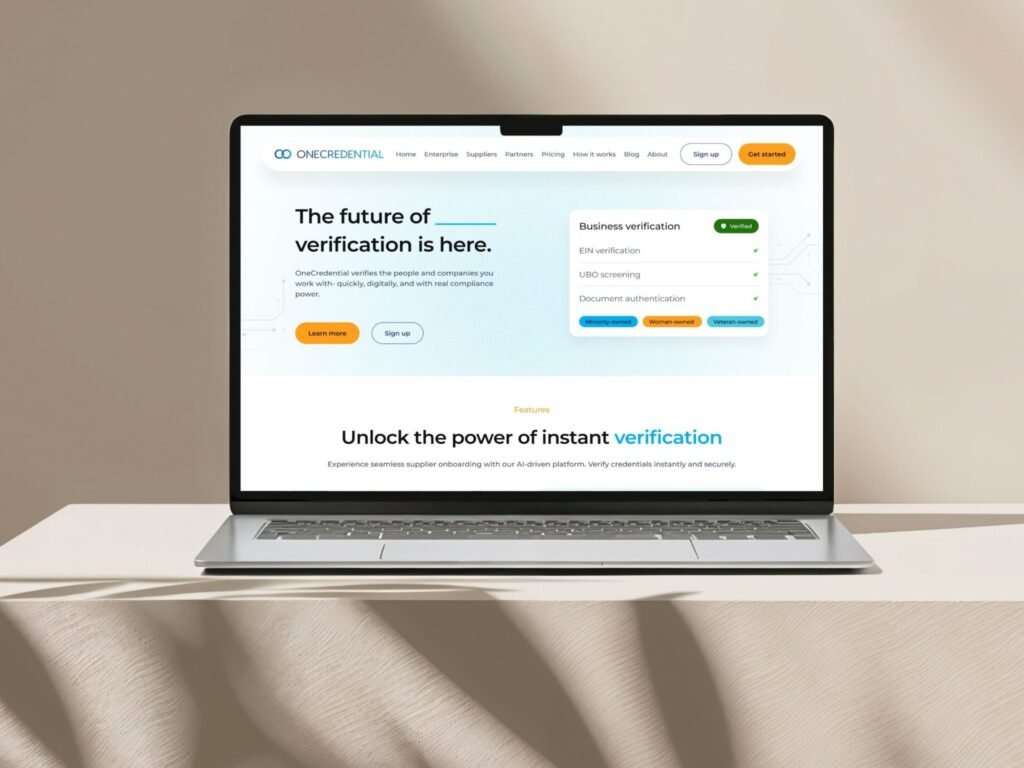
The mobile version of the OneCredential interface demonstrates how the same verification experience can be adapted to smaller screens.
The mobile interface maintains the most important elements:
- Company branding
- Navigation
- Main verification message
- Calls to action
- Business verification card
- Verification status
- Feature information
A good mobile experience should not simply shrink the desktop interface. Content hierarchy, spacing, buttons, navigation, and cards should all be adjusted to work naturally on smaller screens.
Responsive Business Verification Website UI/UX Design
4. Business Verification Workflow: From Submission to Verification
Business verification involves multiple steps, and users need to understand where they are in the process.
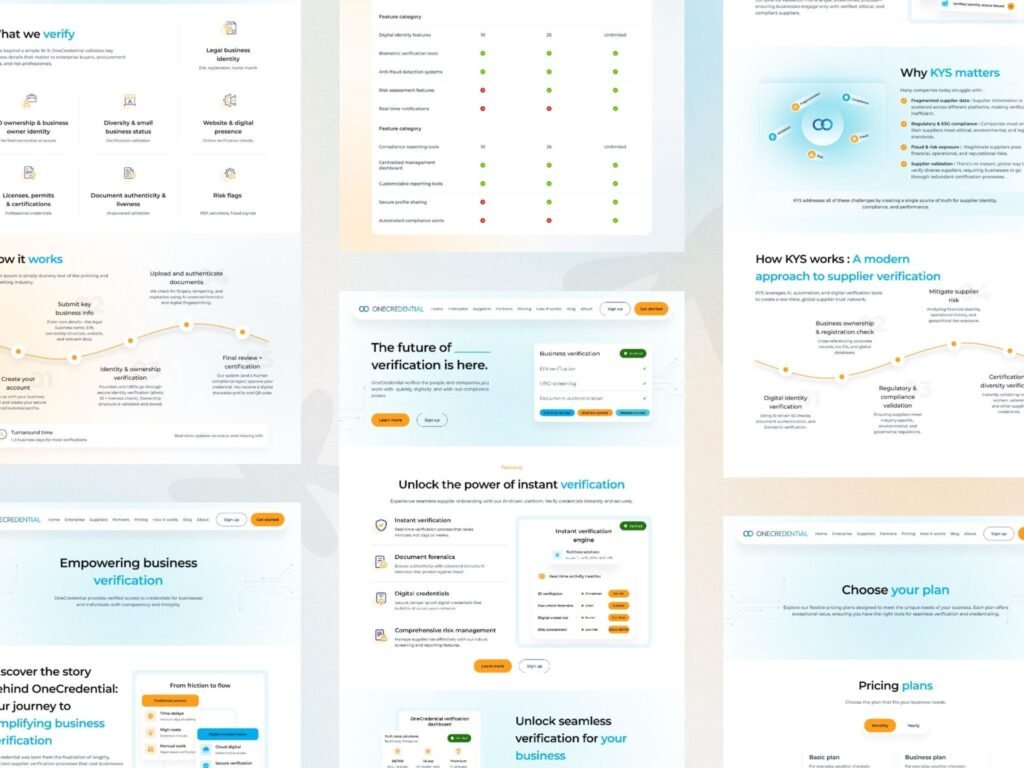
The workflow design presents verification as a structured journey, moving from business information submission to document authentication, identity and ownership verification, and final certification.
Instead of presenting users with a complicated form or a long list of compliance requirements, the interface breaks the process into manageable stages.
Good SaaS UI UX design can therefore reduce cognitive load and help users understand what action they need to take next.
Business Verification and KYB Workflow UI/UX Design
5. Understanding What a Business Verification Platform Verifies
A strong business verification platform needs to communicate exactly what it checks.
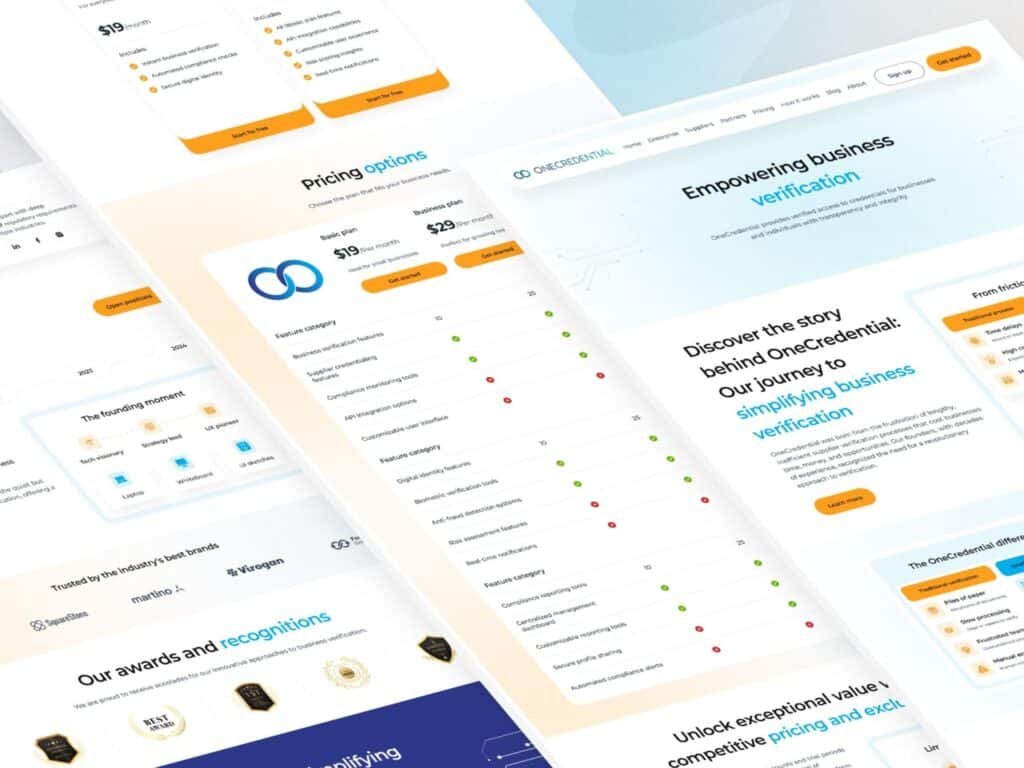
The design presents multiple verification categories, including:
- Legal business identity
- Business ownership
- UBO information
- Business certifications
- Website and digital presence
- Document authenticity
- Risk indicators
This type of information architecture is valuable because business verification can involve many different data points.
From a website UI UX design perspective, organizing these services into clear visual categories makes the platform easier to navigate and understand.
Business Verification Features and KYB Identity Verification UI
6. Why UBO Screening Matters in Business Verification
This is commonly addressed through UBO screening, or Ultimate Beneficial Owner screening.
A verification platform can help organizations understand:
- Who owns the company
- How ownership is structured
- Whether ownership information can be verified
- Whether additional compliance checks are required
- Whether potential risk indicators exist
This is particularly important for organizations working with suppliers, vendors, and third parties.
A well-designed interface can make complex ownership structures easier to understand by presenting information through structured cards, relationship diagrams, and clear verification statuses.
Business Verification SaaS Pricing Page UI/UX Design
7.Color Palette: Building Trust Through Visual Design
A successful business verification platform needs more than individual screens that look good. Every part of the product should feel like it belongs to the same digital ecosystem.
What Makes a Good Verification Platform Design System?
A strong design system should establish reusable rules and components for the entire product.
Key elements can include:
- Typography and font hierarchy
- Primary and secondary buttons
- Form fields and input states
- Verification badges
- Status indicators
- Cards and information panels
- Navigation components
A palette inspired by the visual direction of the provided screens can be structured around a deep navy primary color, bright blue accents, soft backgrounds, and clear verification colors.
Primary Brand Colors
Vivid Orange : #FF9F1C
Sky Blue : #00AEEF
Dark Slate : #1C282B
White : #FFFFFF
A strong color palette becomes more valuable when it is applied consistently across every part of the experience.
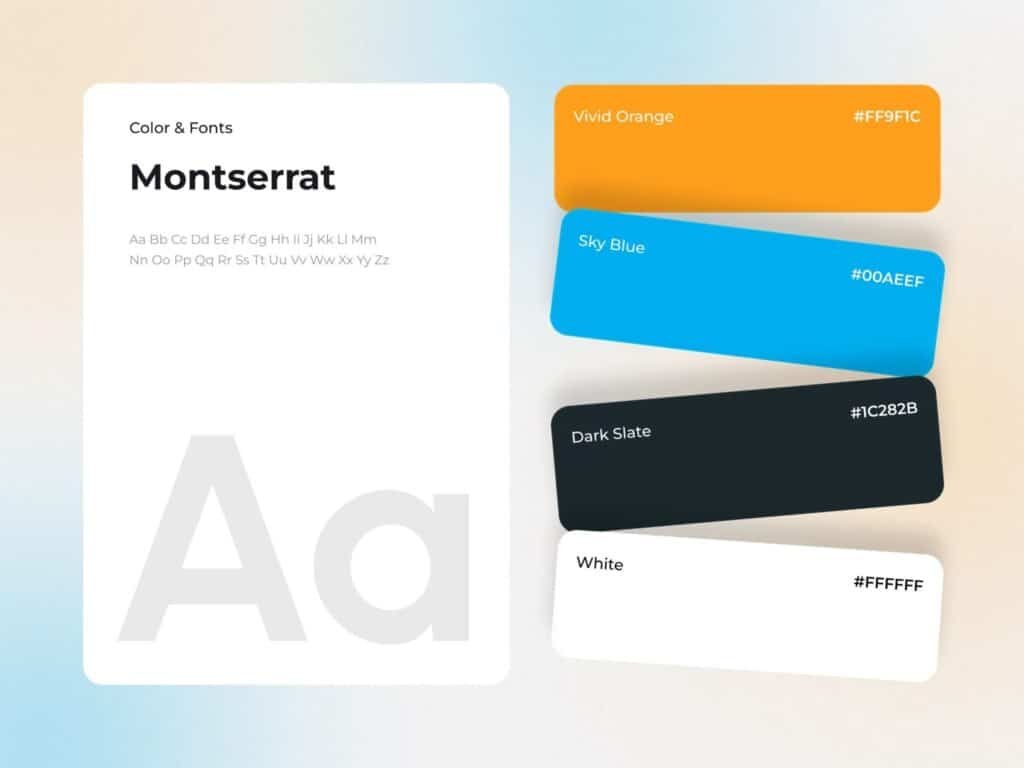
Color Palette for Business Verification SaaS
Conclusion
Business verification is becoming an essential part of modern supplier onboarding, KYB compliance, and third-party risk management.
The Devoq Design approach can be positioned around creating modern, clean, and conversion-focused digital experiences for complex B2B and SaaS products.
For a business verification platform, the design challenge is not simply to make the interface visually attractive. The goal is to transform complex verification processes into an experience that feels simple and trustworthy.
This is why SaaS UI UX design, website UI UX design, and effective business website design are becoming increasingly important for verification platforms.


