
Businesses need more than just tools they need intelligent systems that simplify operations, automate workflows, and improve decision-making. This is where AI-powered SaaS platforms are transforming how trades and service professionals manage their day-to-day work.
The Ask Hayley platform, designed by Devoq Design, represents a modern approach to AI assistant SaaS UI design tailored specifically for trades, field service businesses, and compliance-driven industries. From managing leads and invoices to handling compliance documentation and reminders, this platform is built to reduce manual effort and increase operational efficiency.
This blog explores the UI/UX design strategy behind this platform, breaking down each screen and design element to understand how it contributes to a seamless and high-converting user experience.
1. Hero Section – AI Assistant Experience
The hero section is where first impressions are made. This design clearly communicates the product’s purpose:
It emphasizes simplicity, automation, and intelligence. The UI preview alongside the messaging helps users instantly understand the product’s functionality.
This combination of clear messaging + visual interface preview significantly improves user engagement and reduces bounce rates.
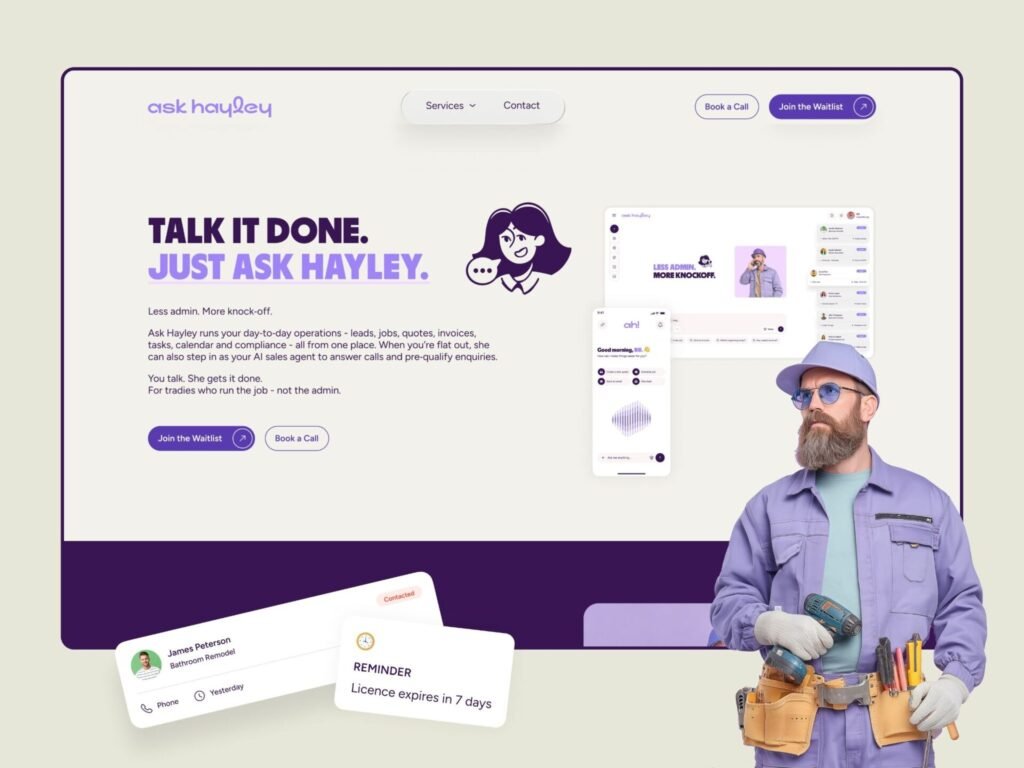
A powerful hero section introducing the AI assistant experience.
2. Safety & Compliance Documentation UI
This interface highlights one of the most critical aspects of service-based businesses safety and compliance documentation. In industries like construction, plumbing, electrical, and field services, maintaining proper documentation is not just important, it is legally essential. However, traditional systems are often complex, time-consuming, and difficult to manage.
The Ask Hayley platform, designed by Devoq Design, reimagines this experience by transforming compliance into a simple, guided, and user-friendly digital workflow.
The layout immediately communicates clarity through a strong headline: “ Safety and Compliance Documentation”. This clear messaging ensures that users instantly understand the purpose of the page. Supporting content is structured in a way that explains the value without overwhelming the user, which is a key principle of effective service management SaaS UX design.
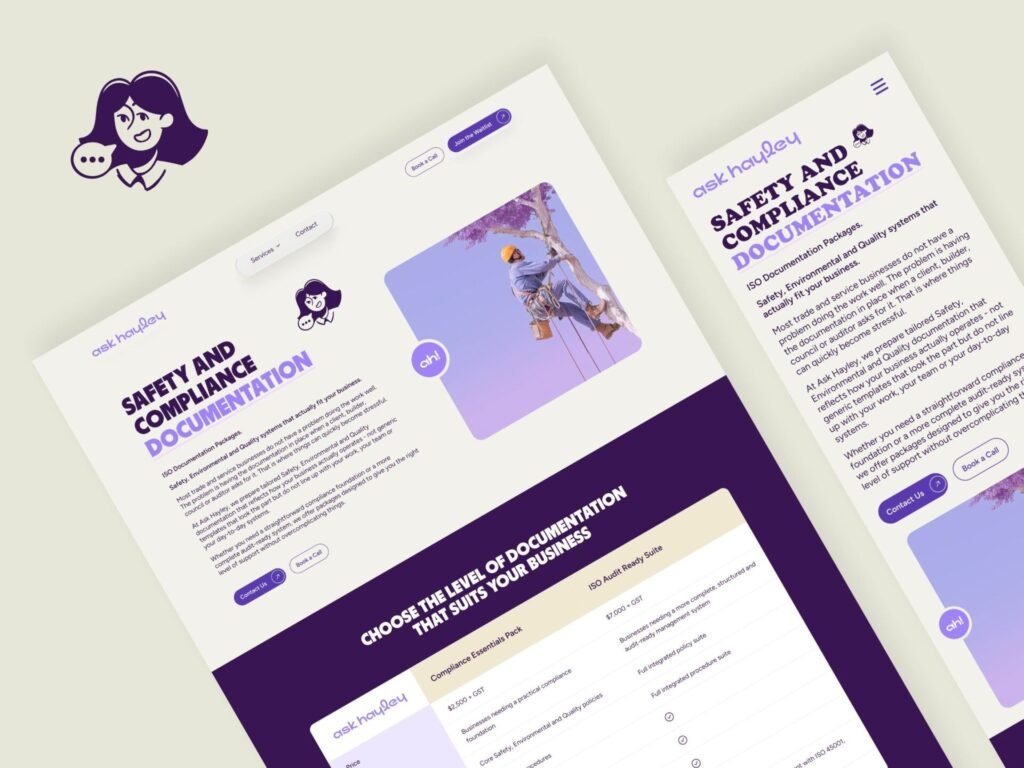
A structured compliance documentation interface designed to simplify safety processes.
3. Website Pages & Layout System
This section highlights the overall website structure, including homepage, service sections, and informational pages.
The design follows a clear hierarchy:
- Value proposition
- Service explanation
- Trust-building content
- Conversion sections
Each section is spaced and structured for maximum readability and engagement, ensuring users can easily navigate and understand the offering.
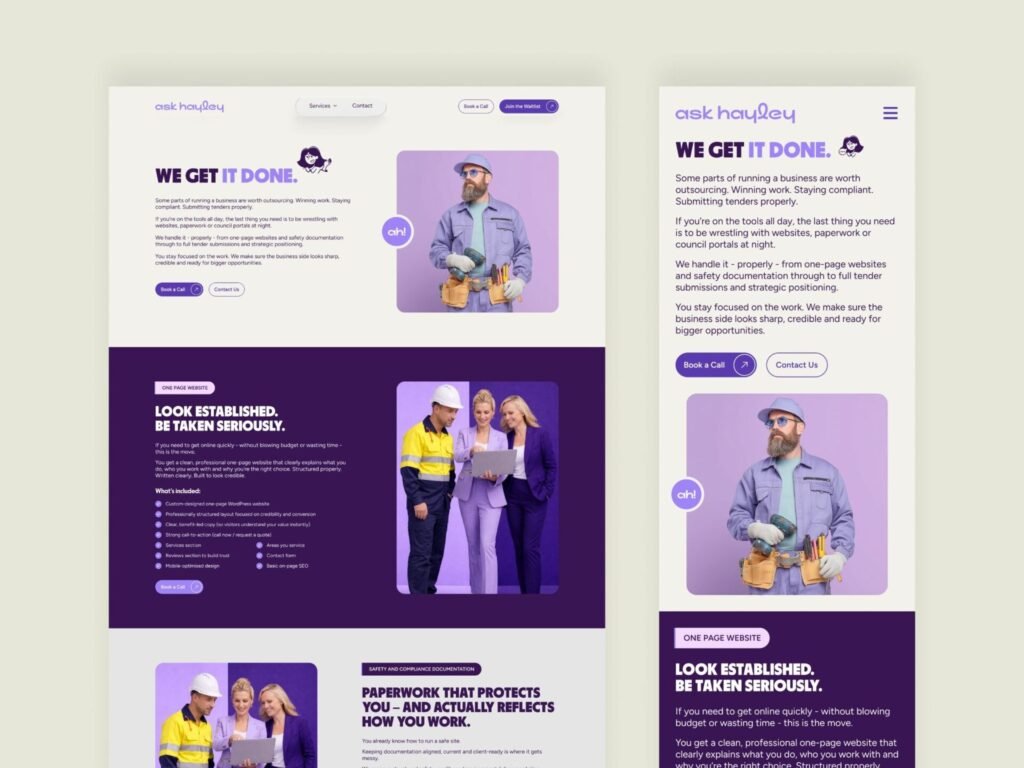
Well-structured pages designed for clarity, storytelling, and conversion.
4. Feature Integration & Automation
Modern SaaS platforms must act as a central hub, and this UI demonstrates how Ask Hayley connects multiple tools into one system.
The integration design highlights connections between:
- CRM systems
- Email communication
- Calendar scheduling
- Accounting tools
Instead of switching between apps, users can manage everything from a single interface. This reduces friction and saves time, which is especially important for small service businesses.
The visual flow of connections also helps users understand how data moves across the system, improving usability and transparency.
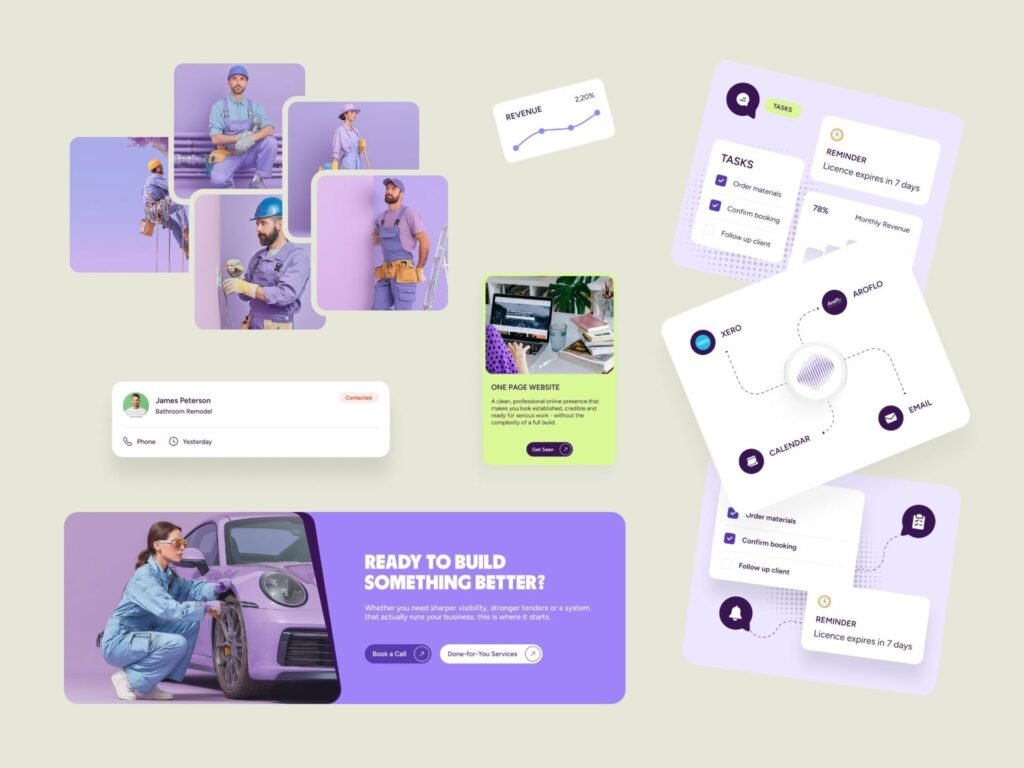
Seamless integrations connecting business tools into one unified platform.
5. Trades & User Representation
A strong UI is not just about components it’s also about emotional connection and relatability. This design integrates real-world trades professionals such as plumbers, technicians, and service workers.
By doing this, the platform instantly communicates:
👉 “This product is built for you.”
The consistent purple-toned visual treatment creates a branded and cohesive experience, while the diverse character representation ensures inclusivity across different service roles.
This human-centered approach enhances user trust, engagement, and brand recall, which are critical factors in SaaS adoption.
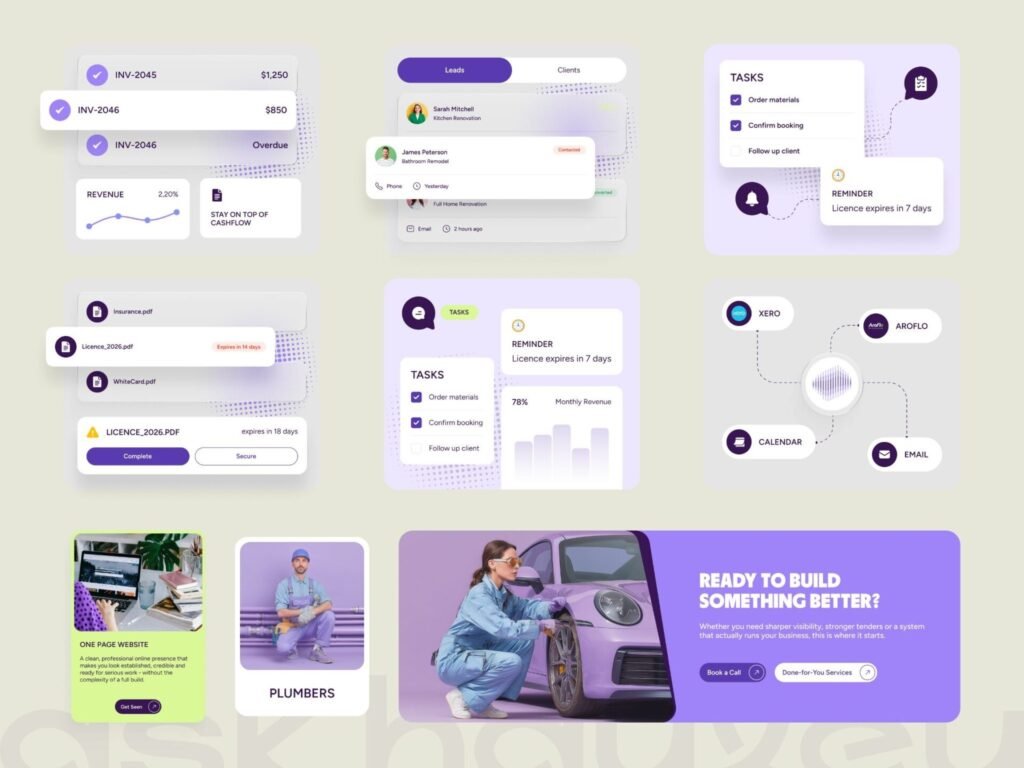
Human-centered visuals that connect the platform with real-world service professionals.
6. Typography & Color System
The foundation of any great UI starts with a strong design system, and Ask Hayley is built on a visually consistent and scalable system. The use of purple gradients (#593BB0, #9F84F8) combined with neutral tones ensures a balance between modern aesthetics and professional trust.
Typography plays a critical role in readability and hierarchy. The use of Poppins font provides a clean, geometric structure that enhances clarity across dashboards, forms, and content-heavy sections. This combination ensures that users from field workers to business owners can easily scan and understand information.
The overall color strategy reflects innovation (purple), trust (white/neutral), and action (contrast elements), making the UI both visually appealing and functional.
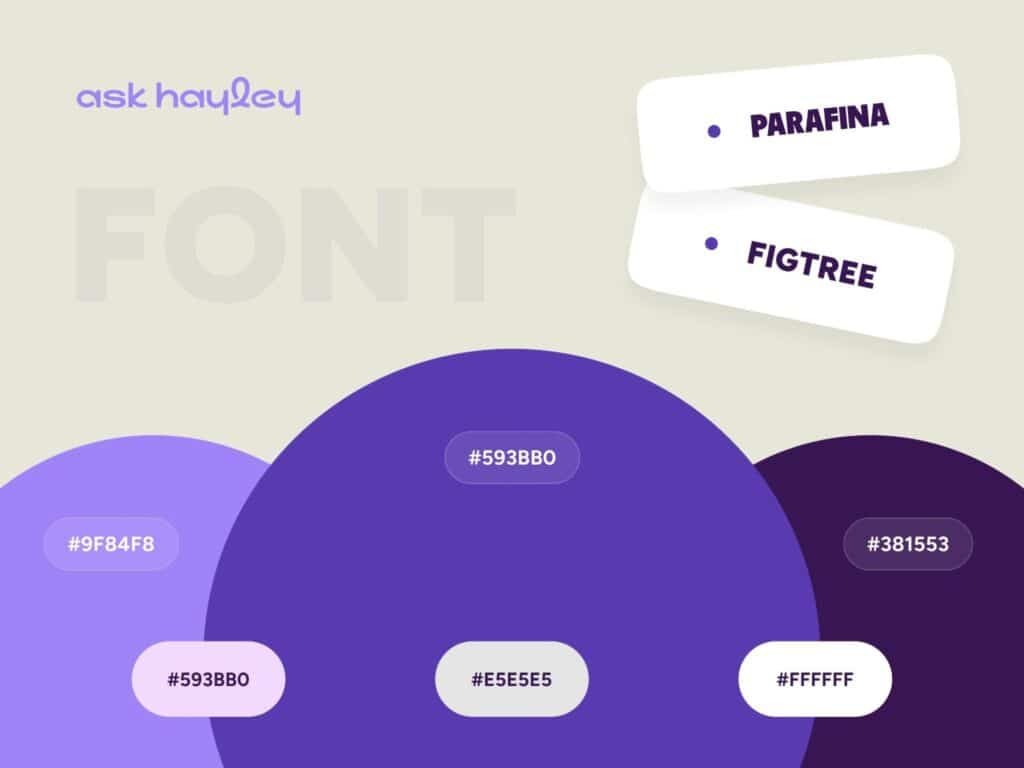
A clean and modern design system using purple gradients and Poppins typography to create a strong SaaS identity.
Conclusion:
The Ask Hayley platform, designed by Devoq Design, is a strong example of how AI assistant SaaS UI design can transform service businesses.
By combining:
- Clean design systems
- Smart dashboards
- Real-world user representation
- Seamless integrations
- Conversion-focused layouts
this platform delivers a powerful, scalable and user-friendly experience.
For trades and service businesses, the future lies in automation, simplicity, and intelligent design and this UI perfectly reflects that direction.


