
Introduction
Modern businesses are managing more projects, teams, deadlines, and workflows than ever before. As project complexity increases, teams need digital platforms that make it easier to organize work, track progress, collaborate, and make faster decisions.
However, many project management platforms still struggle with common usability challenges such as:
- Complex project navigation
- Poor task visibility
- Too much information on a single screen
- Difficult project tracking
- Limited workflow visibility
- Inconsistent dashboard interfaces
- Poor team collaboration
The result?
- Lower team productivity
- Delayed project delivery
- Increased management workload
- Difficulty tracking project progress
- Poor user experience
- Reduced visibility across teams
Modern project management dashboard UI/UX design helps solve these challenges by transforming complex project information into clear, intuitive, and actionable digital experiences.
The project management dashboard concept designed by Devoq Design demonstrates how strategic project management dashboard design can simplify workflows, improve project visibility, and create a more efficient experience for modern teams.
1. Project Management Dashboard
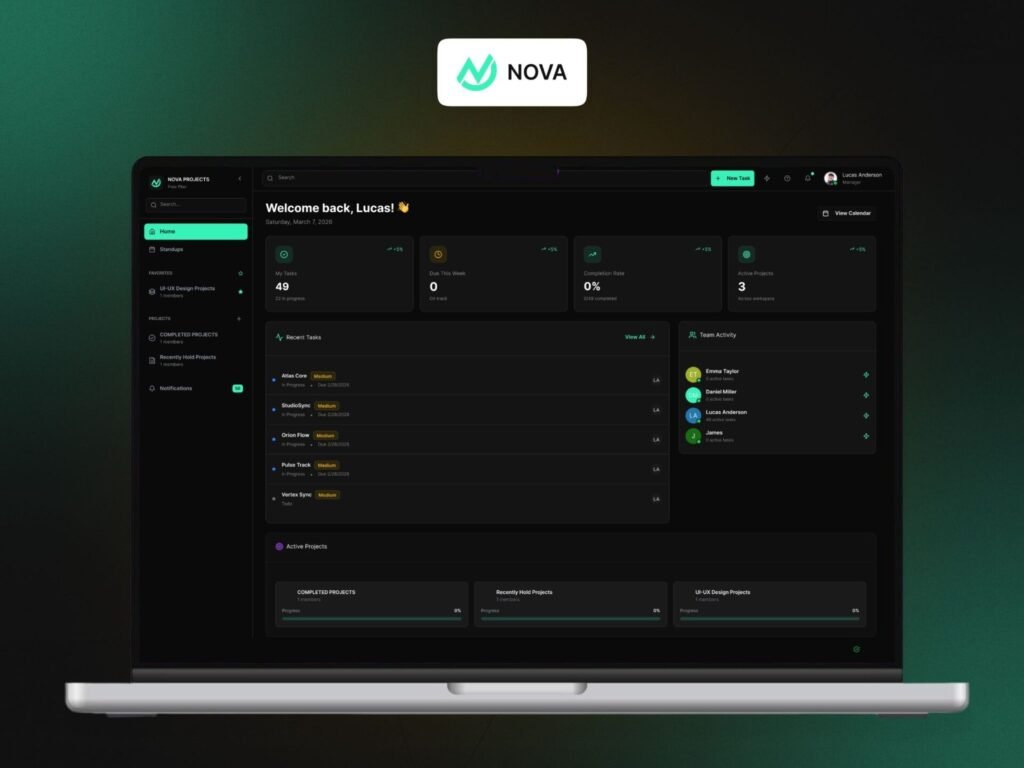
Project Management Dashboard UI/UX Design for Modern Teams
The dashboard serves as the central hub of the project management platform, giving users a quick overview of their projects, tasks, deadlines, and team activity.
The dashboard includes:
- Project overview
- Task tracking
- Project progress
- Team activity
- Task status
- Upcoming deadlines
- Project categories
- Quick navigation
Why Dashboard UX Matters
A well-designed dashboard helps:
- Improve project visibility
- Reduce information overload
- Increase team productivity
- Support faster decision-making
- Simplify project monitoring
- Improve overall usability
A successful dashboard should allow users to understand the current state of their work without navigating through multiple screens.
How the Dashboard Improves Project Management
The dashboard brings essential project information into a single interface. Project managers and team members can quickly review active work, monitor progress, check tasks, and identify areas that require attention.
This centralized experience reduces unnecessary navigation and creates a more efficient project management workflow.
2. Project and Task Management
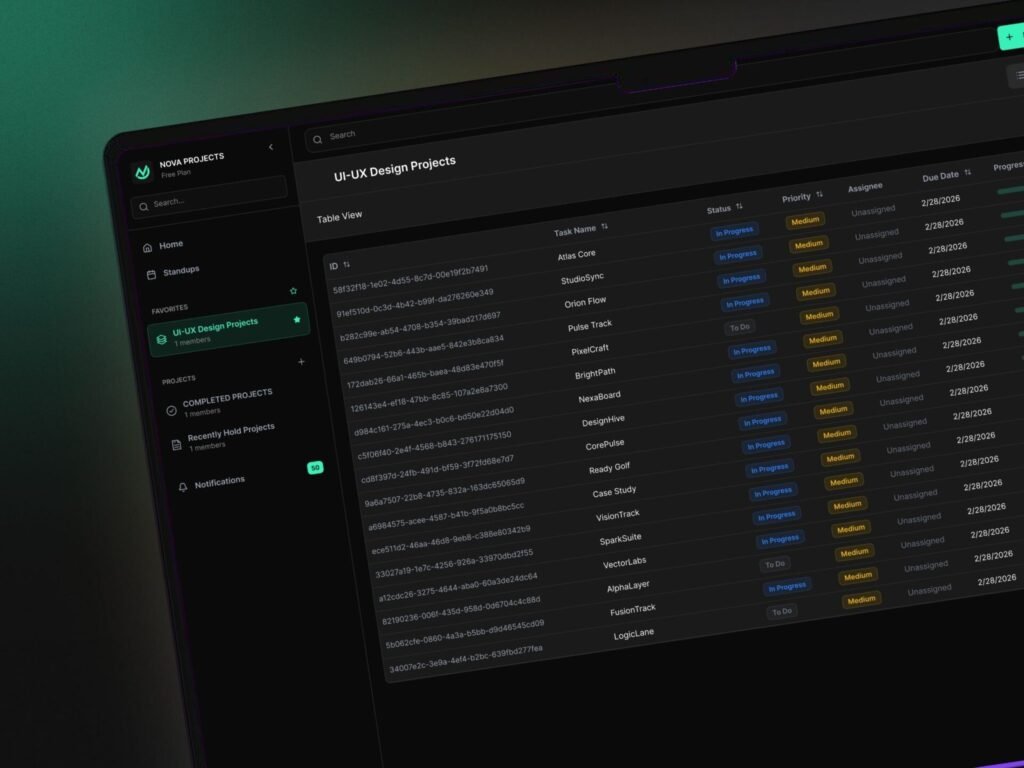
Project Management Task Tracking Dashboard UI
Tasks are at the center of every project management workflow. Users need to know what needs to be completed, who is responsible, what the current status is, and when the task is due.
The platform organizes project tasks through:
- Task names
- Task status
- Priority levels
- Assigned team members
- Due dates
- Project categories
- Task progress
- Task actions
Why Task Management UX Matters
Effective task management helps:
- Improve work organization
- Increase task visibility
- Reduce missed deadlines
- Improve team accountability
- Simplify daily workflows
Good project management UI/UX design makes it easy for users to scan task information and take action without unnecessary interaction.
Creating a Better Task Management Experience
Instead of presenting users with complicated task structures, the interface organizes information into clear sections with recognizable status indicators and consistent spacing.
3. Calendar & Project Scheduling
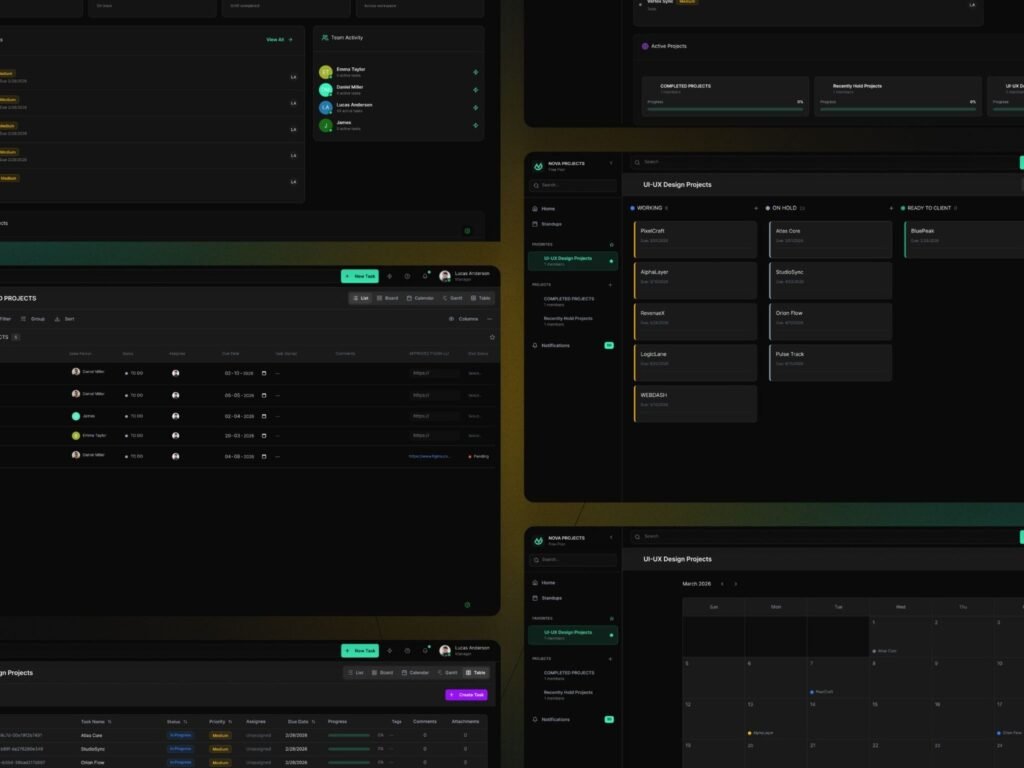
Project management calendar dashboard showing project schedules, task deadlines, upcoming activities
Deadlines play an important role in successful project delivery. A calendar-based interface helps teams understand upcoming tasks, project schedules, and important dates.
The project calendar can include:
- Task deadlines
- Project schedules
- Upcoming activities
- Project milestones
- Team activities
- Monthly planning
Why Calendar UX Matters
A well-designed project calendar helps:
- Improve deadline visibility
- Simplify project planning
- Reduce missed tasks
- Improve scheduling
- Support better time management
Improving Project Planning
Calendar-based project management allows users to see upcoming work within a familiar time-based structure.
When calendar functionality is combined with task and project information, teams gain a clearer understanding of what needs to happen and when.
4. Multiple Project Views
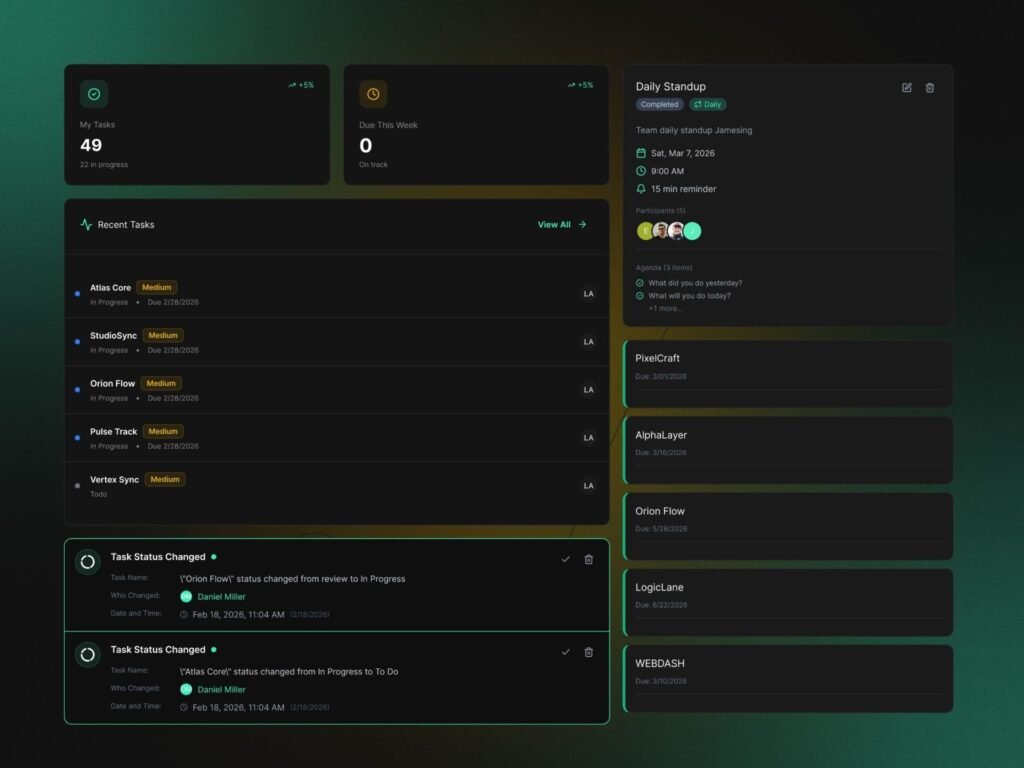
Project Management Dashboard With Multiple Views
Different teams manage projects in different ways. Some users prefer structured tables while others need visual boards or calendar-based planning.
A modern project management platform can support multiple project views, including:
- List View
- Table View
- Board View
- Calendar View
- Project Overview
Why Multiple Views Matter
Flexible project views help:
- Improve workflow management
- Support different user preferences
- Simplify complex projects
- Improve task visibility
- Make project planning easier
This is an important part of modern project management dashboard design because users can choose the interface that best matches their workflow.
Creating Flexible Project Experiences
A table view can provide detailed task information while a board view can help users understand workflow stages visually. Similarly, a calendar view can make deadlines and scheduled activities easier to understand.
Providing multiple views allows the same project data to be presented in different ways without changing the underlying workflow.
5.SaaS Dashboard Design System
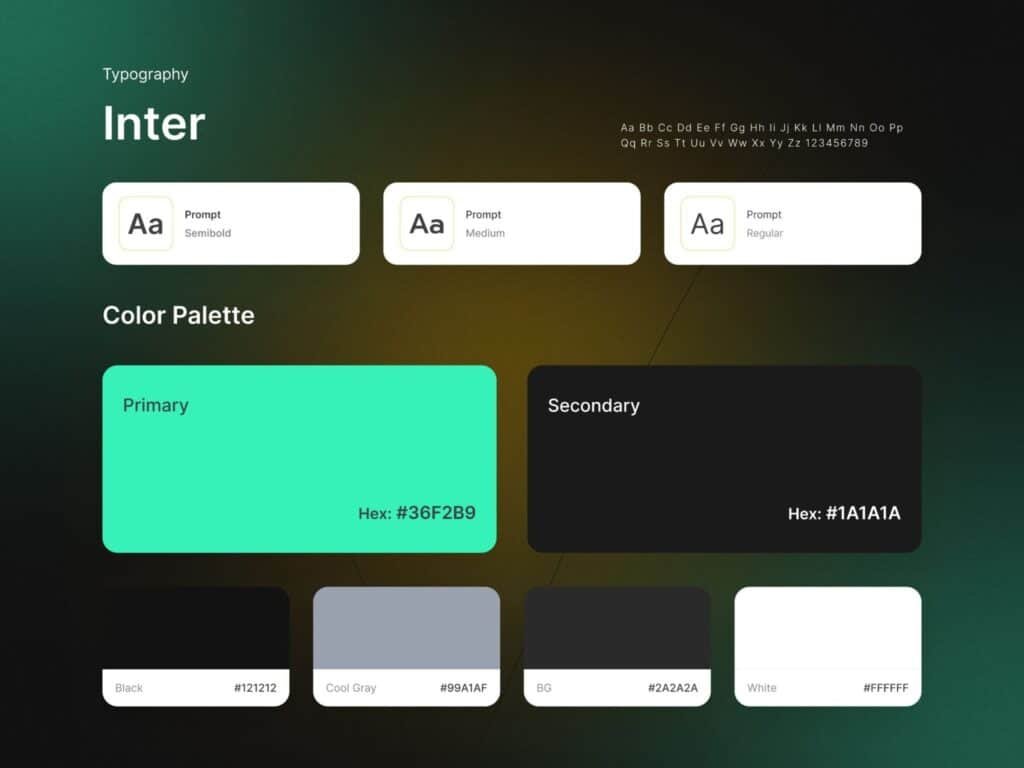
SaaS Project Management Dashboard Design System
A scalable project management platform requires a consistent design system. As new features and workflows are introduced, maintaining visual consistency becomes increasingly important.
The design system includes:
- Typography
- Color palette
- Buttons
- UI components
- Icons
- Cards
- Form elements
- Status indicators
- Spacing guidelines
- Design patterns
Why Design Systems Matter
A strong design system helps:
- Maintain visual consistency
- Improve usability
- Accelerate product development
- Support scalability
- Strengthen product branding
- Create predictable user experiences
The dashboard concept uses a modern dark interface combined with Inter typography and a vibrant green primary accent to create a professional SaaS product experience.
Creating Visual Consistency
Consistent typography, spacing, colors, and components ensure that users can understand different areas of the product without having to learn a new interface every time.
This is especially important for large SaaS platforms with multiple dashboards and workflows.
Benefits of a Modern Project Management Dashboard
A well-designed project management platform can create value for project managers, team members, and business leaders.
Key benefits include:
- Improved project visibility
- Better task organization
- Faster decision-making
- Improved team collaboration
- Easier deadline tracking
- Reduced workflow complexity
- Increased productivity
- Better project transparency
- Scalable project management
- Improved user experience
By bringing projects, tasks, schedules, and team activity into a unified platform, organizations can manage complex workflows more efficiently.
Why Project Management UI/UX Design Matters in 2026
As businesses increasingly depend on SaaS tools to manage their operations, user experience has become a major factor in product adoption and retention.
Effective project management UI/UX design helps organizations simplify complex workflows while making important information easier to understand.
Modern project management experiences should focus on:
- Simplicity
- Accessibility
- Clear navigation
- Flexible workflows
- Real-time visibility
- Consistent design
- Action-oriented interfaces
- Scalable product experiences
Organizations investing in professional project management dashboard UI/UX design can create products that are easier to use, easier to scale, and more effective for modern teams.
Conclusion
The project management dashboard concept designed by Devoq Design demonstrates how strategic project management dashboard UI/UX design can transform complex workflows into clear, organized, and intuitive digital experiences.
From centralized dashboards and task management to Kanban boards, calendar views, team activity, and scalable design systems, every component plays an important role in creating a productive project management experience.
Whether you’re building a SaaS project management platform, task management application, team collaboration tool, or enterprise workflow solution, investing in professional project management dashboard design, dashboard UI/UX design, and project management UI/UX design can help create better user experiences and long-term product value.


